



























NewMuse Vision - Reverse Image Search, In-App

Save & Curate the Web.

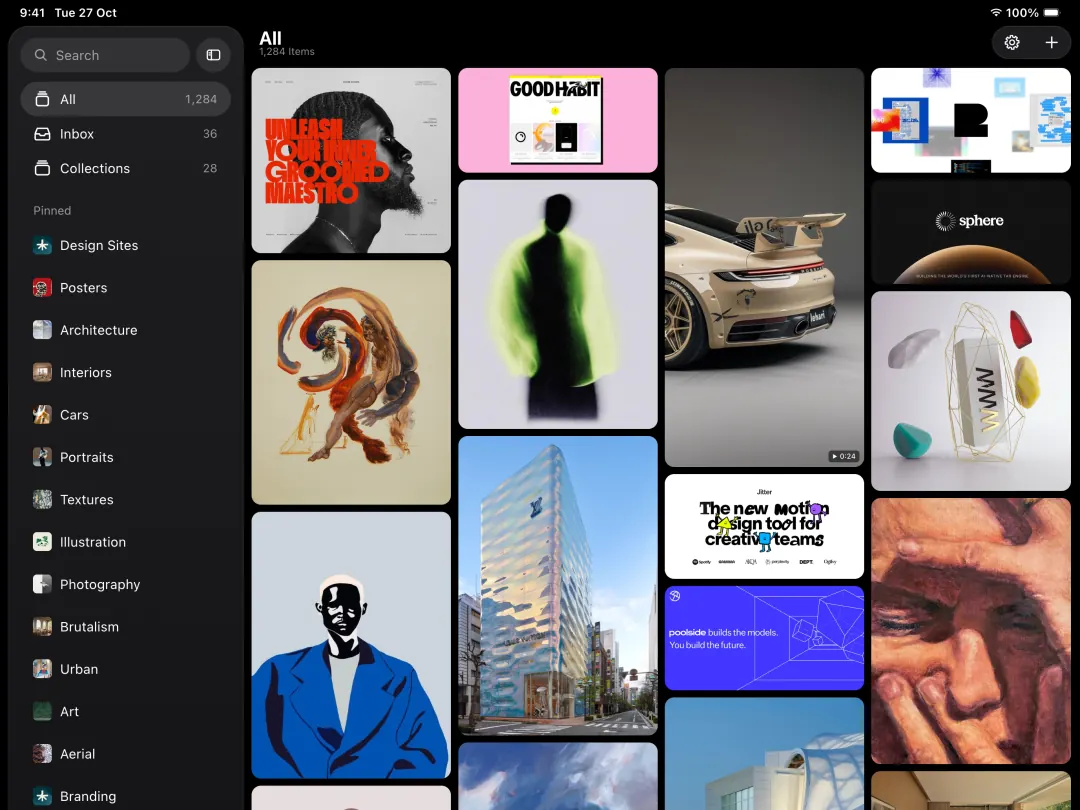
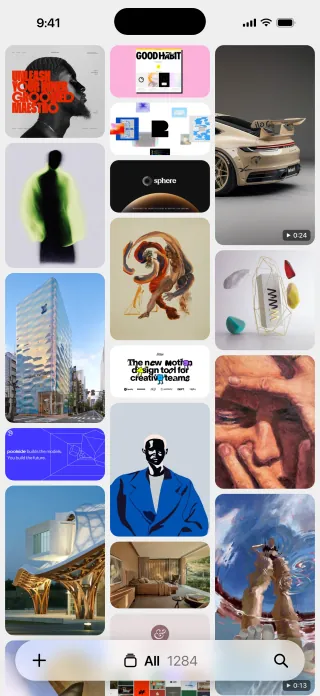
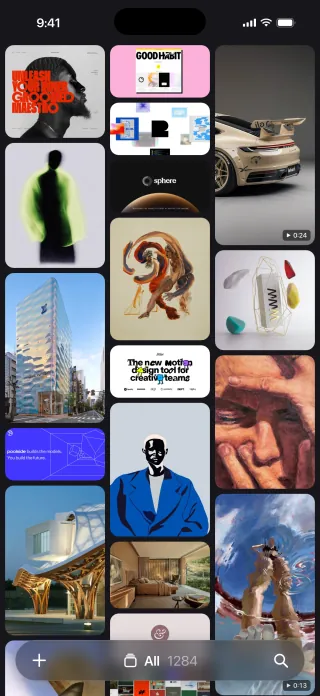
AI Visual Bookmark Manager for Mac. Collect, organise & reference your links, images, videos across all platforms, in one place. No subscription and free for 30 days.

Loved by serial
savers worldwide
Quick Tour Watch how Muse works, or click around anytime.

Save from the places you love Pinterest Instagram X Dribbble YouTube and any browser you use Chrome Safari Edge Firefox Dia , all in one place.

Save Anything, Instantly

See it. Save it.

Saving something from the internet should be easy. Muse collapses capture, filing and finding into one continuous motion, so keeping a good idea takes exactly as long as noticing it.

Recent
Bookmarks2
Best UI Componentscomponentgallery.com⌘1
Grid Systems, Revisitedtypewheel.studio⌘2
Collections2
Photography7 items⌘3
Interiors4 items⌘4
Open Link⌘↵ Open in Muse⌘C Copy Path
Downloads
Inbox
Interiors
Brand

Your collections, orbiting the cursor.

Start dragging anything and a dial opens around the pointer. Let go over one of your collections and it's filed, no window ever opens.

One search bar. Find everything.

Pull up the launcher from anywhere on your Mac. Recents, bookmarks and collections are all one search away, without opening Muse.

Everything you've collected, at the edge of your screen.

Open Muse's Shelf at the edge of your screen to review, find, and use anything you've recently found.

Inbox
Downloads
Portraits20 Items
+
Capture

Your collections, orbiting the cursor.

Start dragging anything and a dial opens around the pointer. Let go over a collection and it's filed, no window ever opens.

Recent
Bookmarks2
Best UI Componentscomponentgallery.com⌘1
Grid Systems, Revisitedtypewheel.studio⌘2
Collections2
Photography7 items⌘3
Interiors4 items⌘4
Open Link⌘↵ Open in Muse⌘C Copy Path
Recall

One search bar. Find everything.

Pull up the launcher from anywhere on your Mac. Recents, bookmarks and collections are all one search away, without opening Muse.

Interiors
Shelf

Everything you've collected, at the edge of your screen.

Open Muse's Shelf at the edge of your screen to review, find, and use anything you've recently found.

Features

Your Own Visual
Bookmark Manager.

Personal, private, and packed with everything you need.

1Capture
2Organise
3Browse
4Search & AI

Save Instantly

Drag, paste, clip or screenshot: saves instantly, no confirm dialog.

Live X Bookmarks

Turn it on and every bookmark you open saves itself.

One-Click Downloads

Every save goes straight to your Downloads folder, renamed automatically.

Easy Imports

One-click import from Eagle, Raindrop, CSV, browser bookmarks and Pinterest.

No Lock-In

Real files in a visible Finder folder. Exportable, nothing proprietary.

Scheduled Backups

Backups run on a schedule, even when Muse is closed.

Collections and Boards

Nest collections, and file one item into many, without duplicating.

Living Bookmarks

Auto-cleaned title, favicon and key image for every saved link.

Your Own Tags

Tag anything yourself, right alongside what the AI already added.

Notes on Items

A free-text note field, separate from title and tags.

AI-Matched Icons

Name a board, Muse finds a fitting icon automatically.

Batch Actions

Select many items to file, tag, favourite or delete instantly.

Ways to Look

Switch between Moodboard, Cards or List, whichever suits the moment.

The Canvas

A freeform board with notes, shapes and arrows, exports to PDF.

Matching Colour Backdrop

The background behind an open image matches its own colours.

Copy Any Colour

Hover any card, click a colour dot, it's copied instantly.

Drag Items Out

Into Mail, Slack or Finder, anywhere, as a real file.

Find Similar

One click in any item's Info panel finds similar items.

Search Everything

Search by OCR text, a colour name, or plain meaning.

On-Device AI

Automatic tagging on your Mac, plus an optional Pro visual-search pack.

Visual Search

Find visually similar images from across the web, right inside Muse.

AI Art Prompts

Reverse-engineer any image into an art prompt with your own Claude key.

Full-Sentence Search

Type "dark moody screenshots from the app", not just keywords.

AI Renames Filenames

A meaningless screenshot slug gets a real name, automatically chosen.

And much more

Renames your files for you. Reads the text inside images. Tags everything on its own. Saves videos, not just their links. Nests collections as deep as you like. Puts it all on a timeline. Finds anything by its colour. Opens full screen with a keystroke. Stars your favourites. Needs no account, ever. Stays entirely on your Mac. Works with no connection.

How Muse compares

Beauty or power?
Muse refuses to choose.

Every rival costs you something: your privacy, your files, your links, or a subscription forever. Muse keeps the whole promise in one native Mac app.

Muse
EagleEagleAsset Manager
RaindropRaindr.Bookmarks
MyMindMyMindCloud Brain
SaveeSaveeDesign Boards
RecollectRecoll.AI Bookmarks
Every media typeAll media
Capture anywhereCapture
Search in imagesImage search
On-device AILocal AI
Private & localPrivate
Paid oncePrice
$29One-time
$34.95One-time
$28/yrSubscription
$79+/yrSubscription
$108/yrSubscription
$100/yrSubscription

Move across the rows to see where Muse pulls ahead.

Pricing

No caps. No subscription. Yours once.

Most apps cap your library and bill you every month, forever. Muse gives you everything, free for 30 days, then a single fair price you pay one time.

Subscription apps

$120average / year

Every year, for as long as you keep using it.

  • Free tiers cap you, often at 50-300 items
  • AI, search and sync locked behind Pro
  • Your library lives on their servers
  • An account and login, always
  • Access ends the day you stop paying
  • The price only goes up over time

A library you rent, never own.

One-time

Muse

$29once

Pay once. No subscription, no account.

  • 30 days free, every feature, no card
  • No caps: unlimited items and collections
  • All AI runs on-device, included
  • Lives on your Mac, no account
  • Every future update, free
  • Yours forever, export anytime
Buy Muse Or start your free 30 days first

Secure one-time checkout via Polar

From Our Users

A home for
everyone's inspiration.

What people who use Muse every day have to say.

Questions

Good to know.

The questions people ask most, and a search box to find anything else.

What is Muse?

Muse is a native Mac app that collects everything you save: images, screenshots, GIFs, video, web links and text notes, into one fast, beautiful, private library. Links become living bookmarks, Muse grabs the title, favicon and key image, and everything is searchable, including the text inside your images.

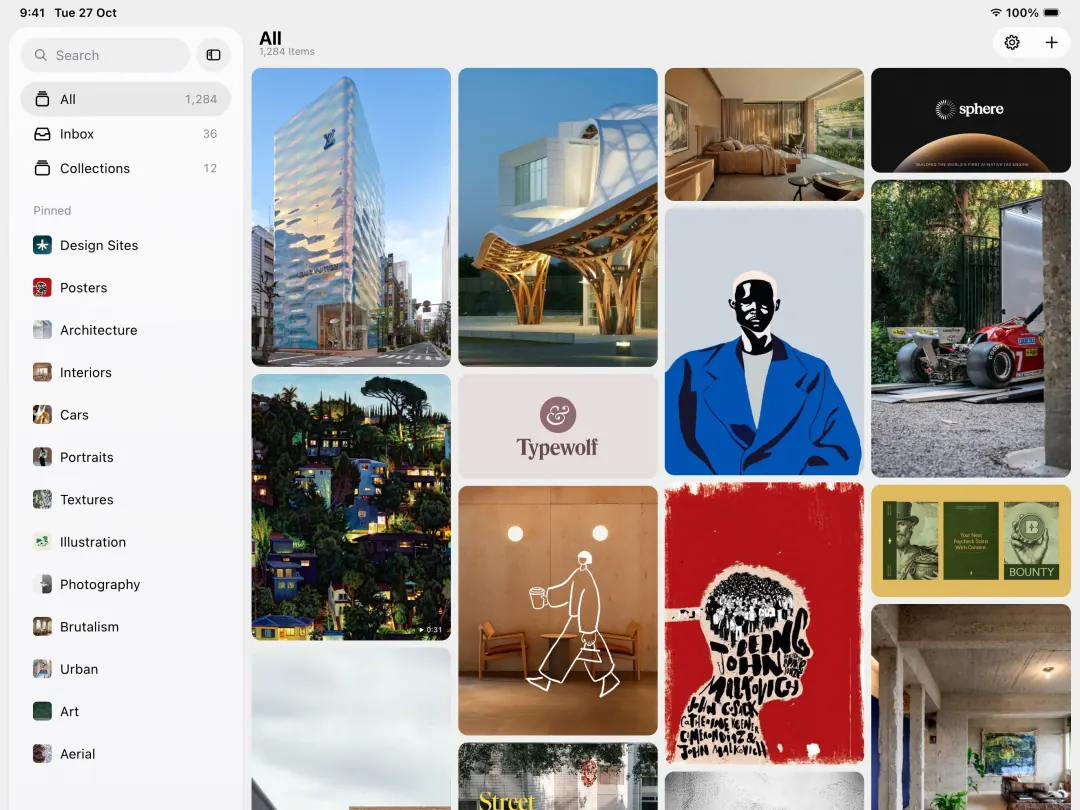
What makes Muse different?

Most tools handle one kind of thing: folders for files, a bookmarks bar for links, Pinterest for images. Muse is the only one that keeps everything, links, images, screenshots, video and notes, in one searchable library, with AI that runs entirely on your Mac and no subscription.

Is my data private?

Completely. Muse has no account and no cloud. Your library lives in a visible Muse Library folder on your Mac alongside a local database, and every feature, including all of the AI, runs on your machine. Browse it in Finder, back it up like any folder, or export a collection whenever you like. Nothing is ever sent to us. See the privacy policy.

How does the AI work?

Muse suggests tags, reads the text inside images so you can search it, and finds colours automatically, all on-device. An optional Pro AI pack, a one-click download, adds meaning-based visual search, where you type what you remember, like "dark moody UI", and Muse finds it. The AI drafts the organisation; you always decide.

Can I import from Eagle, Raindrop or Pinterest?

Yes. Muse imports an entire Eagle library, Raindrop or CSV exports, browser bookmarks from Chrome, Safari and others, and your Pinterest boards at full resolution. Switching does not mean starting over.

Do I need the browser extension?

Only for clipping straight from web pages. Everything else, including drag and drop, the screenshot hotkey and the global launcher, works without it. The extension talks only to the Muse app on your own Mac over a loopback connection and never sends anything online.

How much does it cost?

Muse is $29, a one-time purchase, no subscription, no account, and every future update is included. You get the full app, every feature, free for 30 days first, with no payment details needed, then buy a licence to keep going. Your library always remains exportable, so your files are never held hostage.

How does Muse compare?

Muse is the only option that's native to Mac, keeps every type of media in one library, and runs all its AI on-device for a single $29 payment, no subscription. See the full breakdown in our comparison table or the dedicated comparison pages.

Muse, in your browser.

A free companion clipper: right-click anything on the web, or pick an element straight off the page, and it lands in your library.

Free, and one Chrome listing covers Chrome, Edge, Brave, Arc and Dia. The extension needs the Muse app for Mac to do anything, and only ever talks to it on your own machine.

Try Muse completely

free.

Free for 30 days, every feature unlocked: no limits, nothing held back.

Download Free Trial

No credit card needed