Your Mac, in tune with
the world around you.
Solace is a Mac menu bar app that adapts your screen's appearance, warmth, and wallpaper, so your Mac always feels right.
Scroll to Learn More
Solace is a Mac menu bar app that adapts your screen's appearance, warmth, and wallpaper, so your Mac always feels right.
It lives in your menu bar. It watches the sun. It reads the weather. And it keeps your screen in harmony with the world outside.

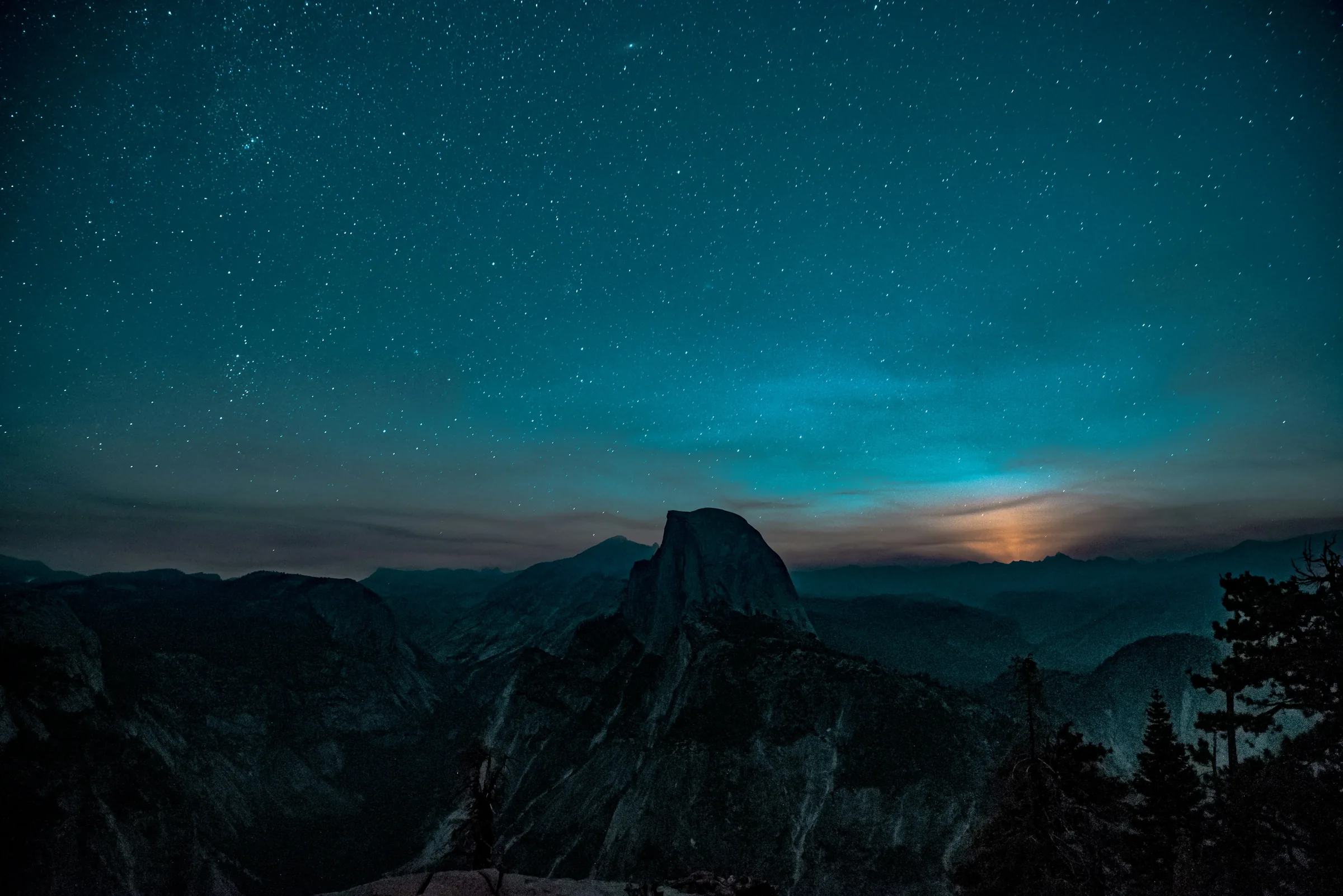
Your light mode wallpaper greets you each morning. Bright, crisp, tuned to the hour. Solace sets it before your eyes open.
Light mode arrives with the morning. Dark mode follows the dusk. Solace calculates exact solar times for your location, every day, every season. Adjust the offsets to taste. Your rhythm, your rules.
And then, the evening.
So does your screen.
At the time you choose, your display gently warms. Crisp daylight fades to soft candlelight. No sudden shifts. Just a slow, natural transition.
Evening Warmth runs on its own schedule, separate from dark mode. Start it at sunset, at a time you choose, or keep it on all day. Choose your colour temperature. The transition happens gradually, from 6500K daylight to 1900K candlelight.
Dark mode activates when storm clouds roll in. Even at midday. Solace reads the forecast each morning and sets the day, so your screen never flickers back and forth. Choose how cloudy counts as dark, and see cloud, rain and UV at a glance, in °C or °F.
Most people piece together separate tools that each do one thing. They don't talk to each other. Half are abandoned. Solace replaces them all.

| Feature | Solace | f.lux | Umbra | Nightfall | Shifty |
|---|---|---|---|---|---|
| Custom dark mode scheduling | ✓ | Sunset only | ✕ | ✕ | Via Night Shift |
| Solar times (sunrise/sunset) | ✓ | ✓ | ✕ | ✕ | ✓ |
| Colour temperature | ✓ | ✓ | ✕ | ✕ | ✓ |
| Wallpaper switching | ✓ | ✕ | ✓ | ✕ | ✕ |
| Multi-display support | ✓ | ✕ | ✓ | ✕ | ✕ |
| Weather-aware switching | ✓ | ✕ | ✕ | ✕ | ✕ |
| Keyboard shortcut toggle | ✓ | ✕ | ✓ | ✓ | ✓ |
| Actively maintained (2024+) | ✓ | Last update 2023 | ✓ | ✓ | ✓ |
| No data collection | ✓ | ✕ | ✓ | ✓ | ✓ |
| Price | $9.99 | $39 | Free | Free | Free |
Swipe to see all apps →
Read the full comparisons: Solace vs f.lux · Solace vs Nightfall · Solace vs Umbra · Solace vs Shifty
Try every feature free for 14 days, then $9.99 once.


Solace is made by THEODORE HQ, and every app we make carries
the same promise: only keep it if you love it.
Just email us within
14 days for your refund.
No forms, no hoops,
no friction.
Quick automatic reply,
then a real person
within a day.
No analytics and no tracking in the app. Your settings stay on your Mac.
We never receive your location. Solar times are worked out on your Mac.
No sign-up. No email. Install and go.
The handful of things people ask before they switch to Solace.
One menu bar app that keeps your Mac in sync with the day. It switches light and dark automatically, warms the screen at night, swaps your wallpaper to match, and can turn dark on grey, overcast days. It replaces f.lux, a wallpaper switcher, and constant manual toggling.
Solace follows your local sunrise and sunset, and you can move either one up to 2 hours earlier or later. It can also switch to dark on overcast days with weather-aware switching, and you can toggle instantly with a keyboard shortcut. How to schedule dark mode on Mac
Yes. Evening Warmth eases your screen from cool daylight (6500K) to warm candlelight (1900K), from sunset, from a time you choose, or all the time. While it is on, Solace takes over from Night Shift and hands it back afterwards, with a Compatibility Mode for the newest Macs.
Yes. Set a light wallpaper and a dark one, and Solace swaps them across all your displays the moment the mode changes. How to change your Mac wallpaper automatically The best wallpaper apps for Mac, compared
Solace has no account, no tracking and no analytics, and we never receive your location. Your Mac uses it to find sunrise and sunset, to look up your city name with Apple and, if you turn on weather, to check Apple's WeatherKit.
Every feature is free to try for 14 days. After that it is a one-time $9.99: no subscription, no in-app purchases, and free updates. It needs macOS 13 Ventura or later and runs natively on Apple Silicon and Intel Macs, at around 3 MB.
Yes. Download Solace and every feature is free for 14 days, with no card needed. When the trial ends, Solace pauses until you buy it and keeps all your settings. You can add your licence key any time: right-click the Solace menu bar icon, choose Settings, then Enter Key under Free Trial.

Your private writing partner for Mac: spelling, grammar, and prediction that learns how you write, entirely on-device.
Every time zone, beautifully in view: a luminous world map showing daylight overlap for everyone in your day.
One-tap memory cleanup and runaway app pausing keep your Mac quick, no restart.

Collect, organise and reference your links, images and video: one private library with AI search that runs on your Mac.
Every song, podcast and video remembered, ready to resume with one keystroke.

Complete control of your Mac's speakers and mics. Group your outputs, prioritise your inputs, and switch easily.
One-time purchase. No subscription. Yours forever.

 Theodore HQ