Loop vs Dropbox

Loop vs Dropbox

Both share files by link. Dropbox is $180 a year with your branding. Loop is $49 once, on your own domain, and shows who read what.

Updated 4 November 2026

Summary

Dropbox to store and sync. Loop to share and track.

Choose Loop If

You want your own branded link that shows who read what, paid once.

  • Paid once. $49 for one person, against $180 a year for Dropbox Standard.
  • Your own domain. Links on your own address, in your logo, colours and typeface.
  • Page tracking. See who opened it and how long they spent on every page.
  • Review on the page. Readers mark up and sign in the order you set.

Not for: syncing folders across all your devices, or sharing from a Windows PC.

Choose Dropbox If

You want files stored and synced across all your devices, on Windows and phones too.

  • Sync everywhere. Files stay in step across Mac, Windows, iPhone and Android.
  • Room to store. Standard starts at 3 TB for the team, with 180-day restore.
  • Team tools. Team folders, groups, file locking and comments on video.
  • Big transfers. Send files up to 100 GB, with a password and expiry date.

Not for: anyone who wants to pay once and keep their files in their own account.

Overview

Cloud storage against a branded link.

Loop

Loop is a Mac app that turns any file into your own branded link, and follows every open, page and signature.

Loop is built for the moment a file leaves your Mac for someone else. Drop it on the menu bar and you get your own branded link that shows who opened it and how long they read each page, and lets them mark it up or sign. Your files stay in your own Cloudflare account. It is $49 once, or $199 once for a team.

Dropbox

Dropbox is a cloud storage service that syncs your files across devices and shares them by link.

You keep files in a Dropbox folder on your Mac, Windows PC, iPhone or Android, and share a file or folder by link or email. Standard adds your logo and a background to what you share, passwords, expiry dates, transfers up to 100 GB and viewer history, at $15 a user a month billed yearly ($180 a year; £12 in the UK). A free Basic plan gives you 2 GB. Dropbox also owns DocSend, a separate product for tracked documents.

Comparison

Loop and Dropbox side by side.

LoopDropbox
Price
One person$49 once$180 a year
Five people$199 once$900 a year
Over three years$49$540
Free to try14 days, everything includedFree plan, 2 GB
Sharing
Your brandLogo, colours, typefaceLogo and background
Your own domainIncludedNot listed
Where files liveYour Cloudflare accountYour Dropbox account
PlatformMac app, links open anywhereMac, Windows, iPhone, Android
Syncs across devicesNot offeredIncluded
Tracking
Time on every pageIncludedNone listed
Who opened itIncludedViewer history on Standard
Works with AI appsShares and tracksWork with files in AI tools
Review
SignaturesIncluded, in orderDropbox Sign, 3 requests a month and unlimited self-signing
Notes and markupDraw, highlight, typeComments, PDF annotation, video comments

Compared by the Loop team. Loop Pro against Dropbox Standard, the cheapest plan on its plans page that adds your own branding, $15 a user a month billed yearly ($180 a year), Dropbox's US price. Five people is Dropbox Standard at $15 a person. Dropbox’s figures read from dropbox.com/plans and its help centre on 20 October 2026. US prices are from Dropbox's plans page as archived on 3 November 2026, because Dropbox shows pounds to UK visitors. File size, transfer, download, trial and cancellation figures are from Dropbox’s help pages on file size, adding files, team limits, Dropbox Transfer, banned links and cancelling a plan, team trials and going over 2 GB, and the device limit from dropbox.com/individual, read on 4 November 2026. Every price comparison.

Reader View

What a reader sees in each.

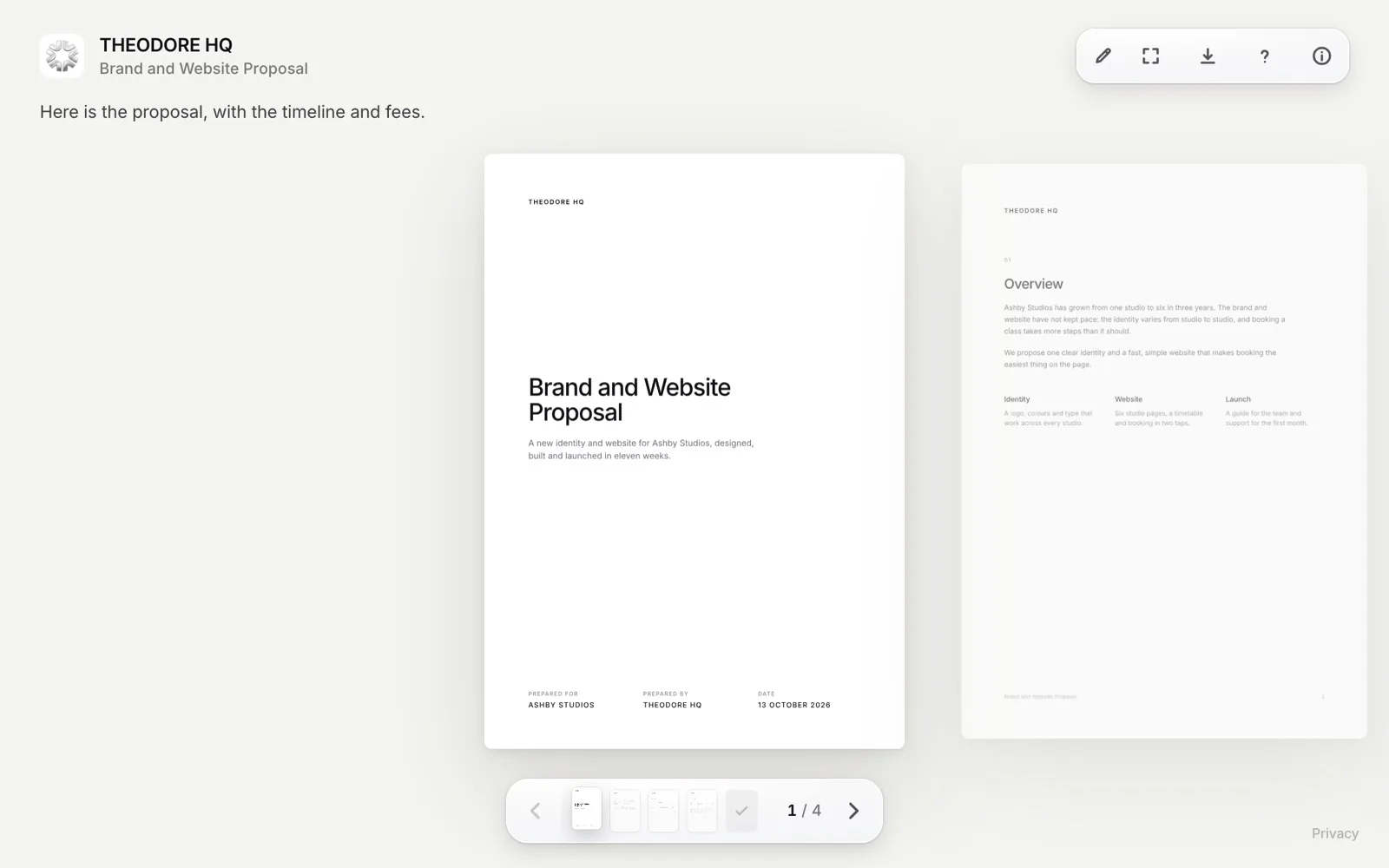
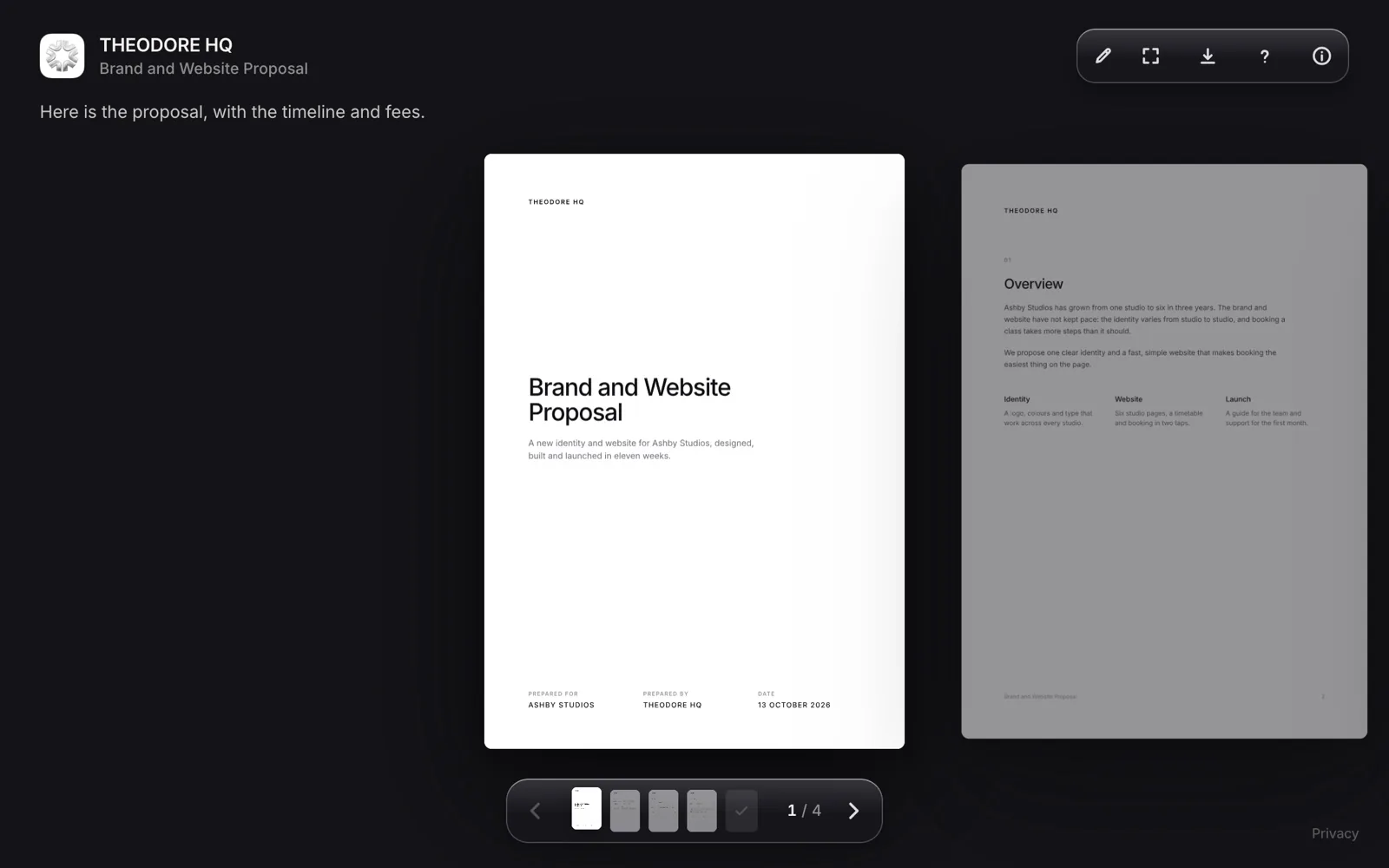
Loop reader page for a shared proposal, branded with the sender's logo, name and colours
Loop. Your logo, colours and domain, with notes and signing on the page.
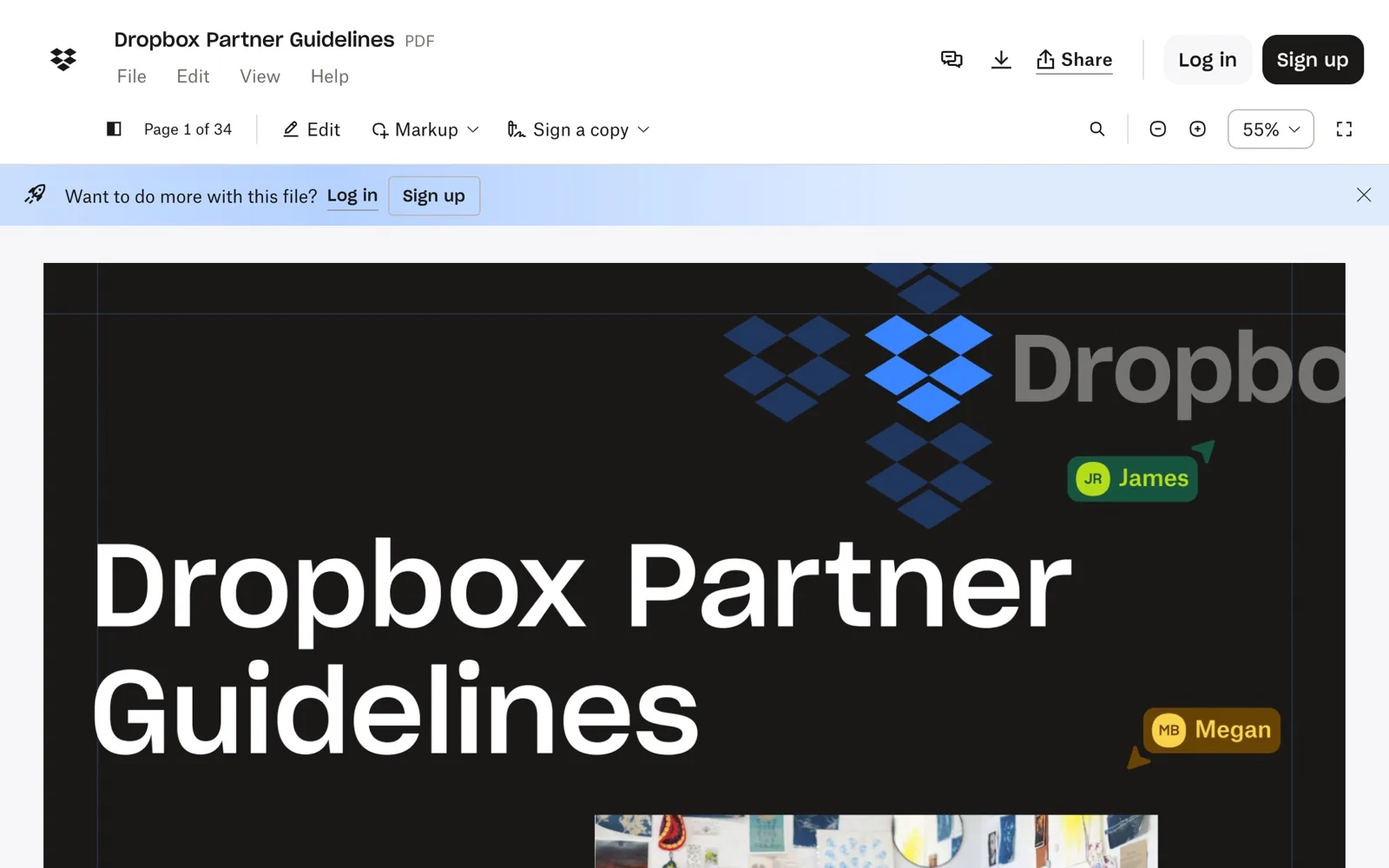
Dropbox shared file preview of a PDF
Dropbox. Your logo and a background behind the file preview.
Try Loop free for 14 days.Then $49 once. Yours forever.
Download for Mac
Differences

Price, tracking, link controls and sync.

Loop Leads

Price

Loop costs $49 once. Dropbox Standard, its first plan with branding, costs $180 a year. That is $15 a user a month billed yearly, so three years comes to $540. Dropbox Plus is $9.99 a month billed yearly ($119.88 a year, $359.64 over three years), but its plans page lists no branding. Advanced is $24 a user a month billed yearly for three people or more: $864 a year for three, $2,592 over three years. Enterprise is quote only. Billed monthly instead, Plus is $11.99 a month, Standard is $18 a user and Advanced is $30 a user, on the same capture.

For a team of five, Loop Team is $199 once and Dropbox Standard is $900 a year. Loop’s only running cost is Cloudflare storage, free up to 10 GB a month. Past that Cloudflare bills you: see what file sharing costs over three years.

Loop Leads

Tracking

Loop shows who opened a link and how long they spent on every page. Dropbox Standard lists viewer history, which shows when people with access last viewed a file, and transfers can notify you of downloads. Loop also groups readers by company, shows video watch time and which version each person read, and sends notifications within about 30 seconds while Loop runs.

Even

Link Controls

Both let you protect a link with a password and an expiry date. Dropbox Standard sets them on links and on transfers, lets you turn off downloads and lists watermarking. Loop adds a required email, a watermark on PDF pages when the reader’s email is known, and allow and block lists, with links that expire after 1 to 90 days or never.

Dropbox Leads

Sync and Storage

For storing and syncing everything, Dropbox is the better tool. Standard starts at 3 TB for the team, keeps your files in step across Mac, Windows, iPhone and Android, and restores deleted files for 180 days. Plus has 2 TB and a 30-day restore window; Advanced starts at 15 TB with a one-year window. Standard adds team folders, groups, file locking and comments on video, and sends transfers up to 100 GB. Loop turns a file into a link rather than syncing folders.

Cost

Dropbox pricing: $180 a year, or $49 once.

Loop$49
Dropbox$540

For one person. Loop is $49 once. Dropbox Standard is $15 a user a month billed yearly, $180 a year.

FAQ

Dropbox questions, answered.

For sharing files by link, yes. Loop turns a file into your own branded link that shows who opened it and what they read, with markup and signing on the page, paid once. It does not sync folders across your devices, which is where Dropbox leads.

On Dropbox's US plans page, billed yearly, Plus is $9.99 a month, Standard is $15 a user a month and Advanced is $24 a user a month for three people or more. Standard, the first plan on that page with branding, is $180 a year; Advanced for three people is $864 a year. Enterprise is quote only. In the UK Standard is £12 a user a month. Prices are from the plans page as archived on 3 November 2026. Billed monthly instead, Plus is $11.99 a month, Standard is $18 a user and Advanced is $30 a user.

Yes, Dropbox Basic is free, with 2 GB to store and share files and up to 3 devices, per Dropbox's individual plans page. Branding starts on Standard, which has a free trial. Loop has a 14-day free trial with everything included, then costs $49 once.

Standard and Advanced show a Try for free button on Dropbox's plans page, and the page title says 30 days free trial. Plus shows Buy now instead. Dropbox's help page for team trials says the length is in the email you receive when you sign up, and that you are charged with the billing details you gave if you do not cancel before the trial ends.

For Plus, Dropbox's help page says your account changes to a free Basic account at the end of the billing cycle and you are not charged again. Basic has 2 GB: over that, syncing, uploading and sharing may stop, and Dropbox may delete files you own, least recently modified first, after several emails. Deleted files stay in the Deleted files tab for 30 days. Dropbox's help pages on cancelling and on going over 2 GB do not say whether existing shared links keep working.

Yes, on Standard and above. You can add a brand name, logo, website link and a background colour or image, shown in invitation emails and in previews of documents, presentations and images. Its help pages do not mention an own domain. Loop adds your logo, colours, typeface and your own domain.

Dropbox Standard lists viewer history, which shows when people with access last viewed a file, and transfers can notify you of downloads. Its help pages do not describe time on each page. Loop shows who opened a link and how long they spent on every page.

Dropbox's help page on file size, updated 17 June 2026, says the largest file you can upload is 2 TB, and that browser uploads above 375 GB may time out. Its page on adding files, updated 21 April 2026, gives 350 GB for dropbox.com and 2 TB in the desktop app, and an older team page, updated 4 September 2024, says 50 GB for dropbox.com. Dropbox's pages differ on the browser figure, and it recommends the desktop app for the best results with large files. A file also has to fit in your storage, which is 2 GB on the free Basic plan.

A shared link points at a file already in your Dropbox, so the upload limits above apply. Dropbox Transfer, per Dropbox's help page updated 24 September 2026, sets its own limit by plan: 2 GB on Basic, 50 GB on Plus and Family, 100 GB on Standard and Advanced, and 250 GB on Business Plus and Enterprise. Transfers on Basic, Family and Plus expire after 7 days. Custom expiry, passwords, logos and backgrounds start on Standard.

Yes. Dropbox's help page on banned links, updated 13 October 2026, lists a daily ceiling: 20 GB and 100,000 downloads on Basic and on trials, 1 TB on Plus, Family and Standard, and 4 TB on Advanced and Enterprise. The first time you reach it, your sharing activity and link and file requests pause for 24 hours; repeats can mean longer. Loop has no promised maximum file size, and its files live in your own Cloudflare account, free up to 10 GB a month.

No. Loop turns a file into a link and does not sync folders across devices. Your files and links live in your own Cloudflare account, free up to 10 GB a month. Readers open links in a web browser, with no account.

Try Loop free for 14 days.

Pay once. Yours forever.