Refern is the app people ask about right after Eagle when they are shopping for something Muse shaped. That is a fair pairing. Both are one-time purchases from small teams rather than funded startups, both keep your library on your own machine, and both ship an on-device engine that reads and tags what you save. The overlap is real, which means the differences here are narrower and more specific than most comparisons on this site.
This one stays close to what each app does, including what Refern does that Muse does not.
Side by Side
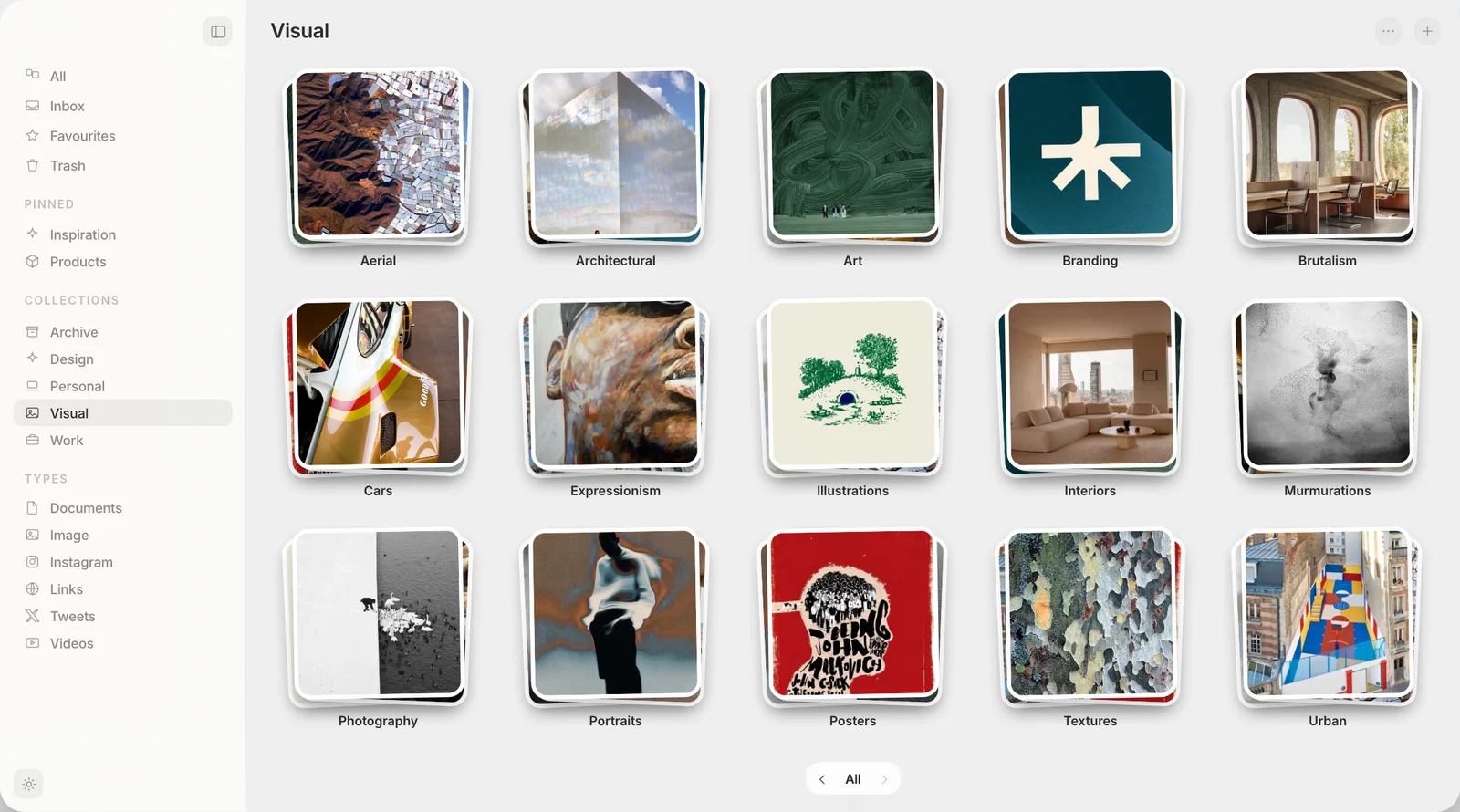
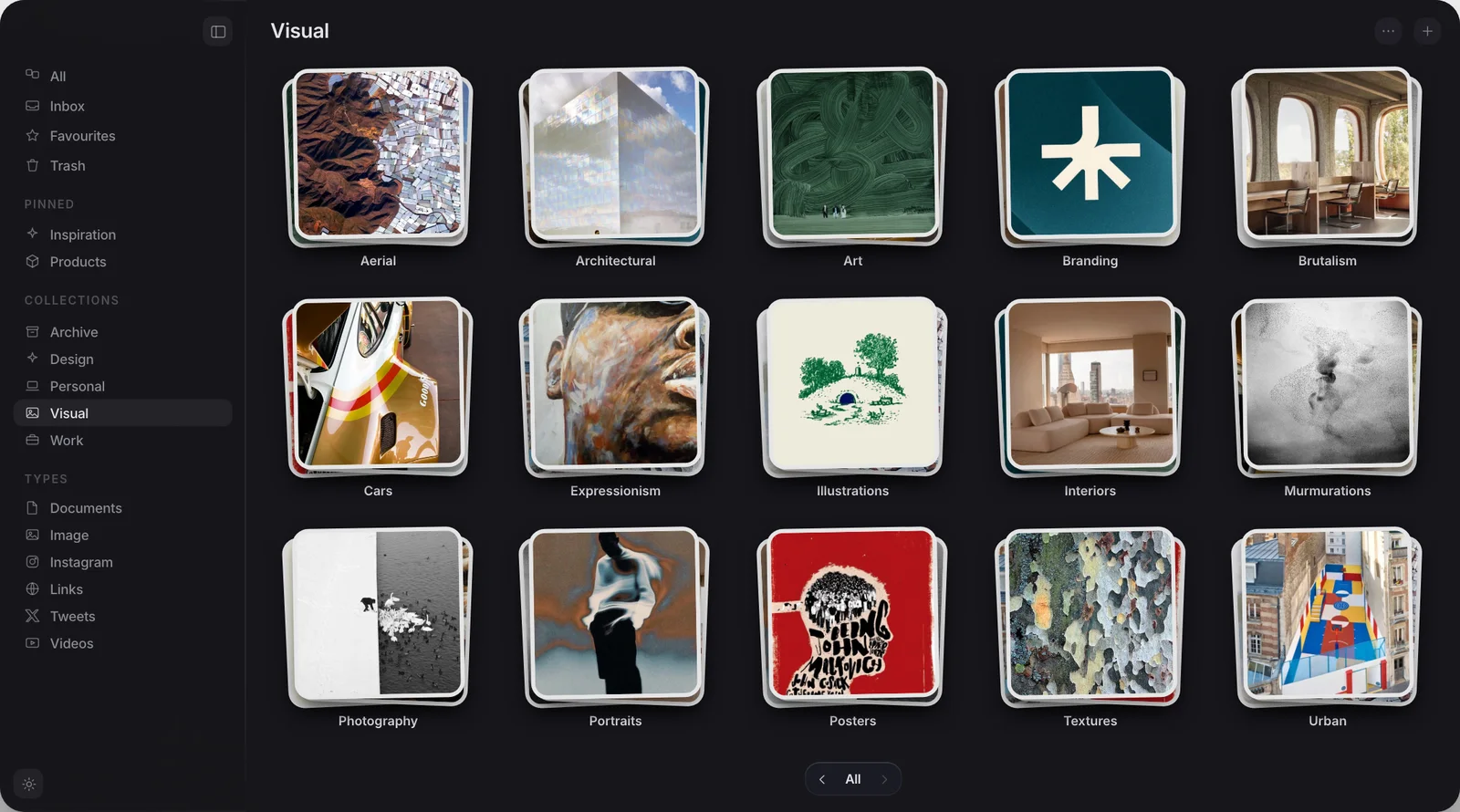
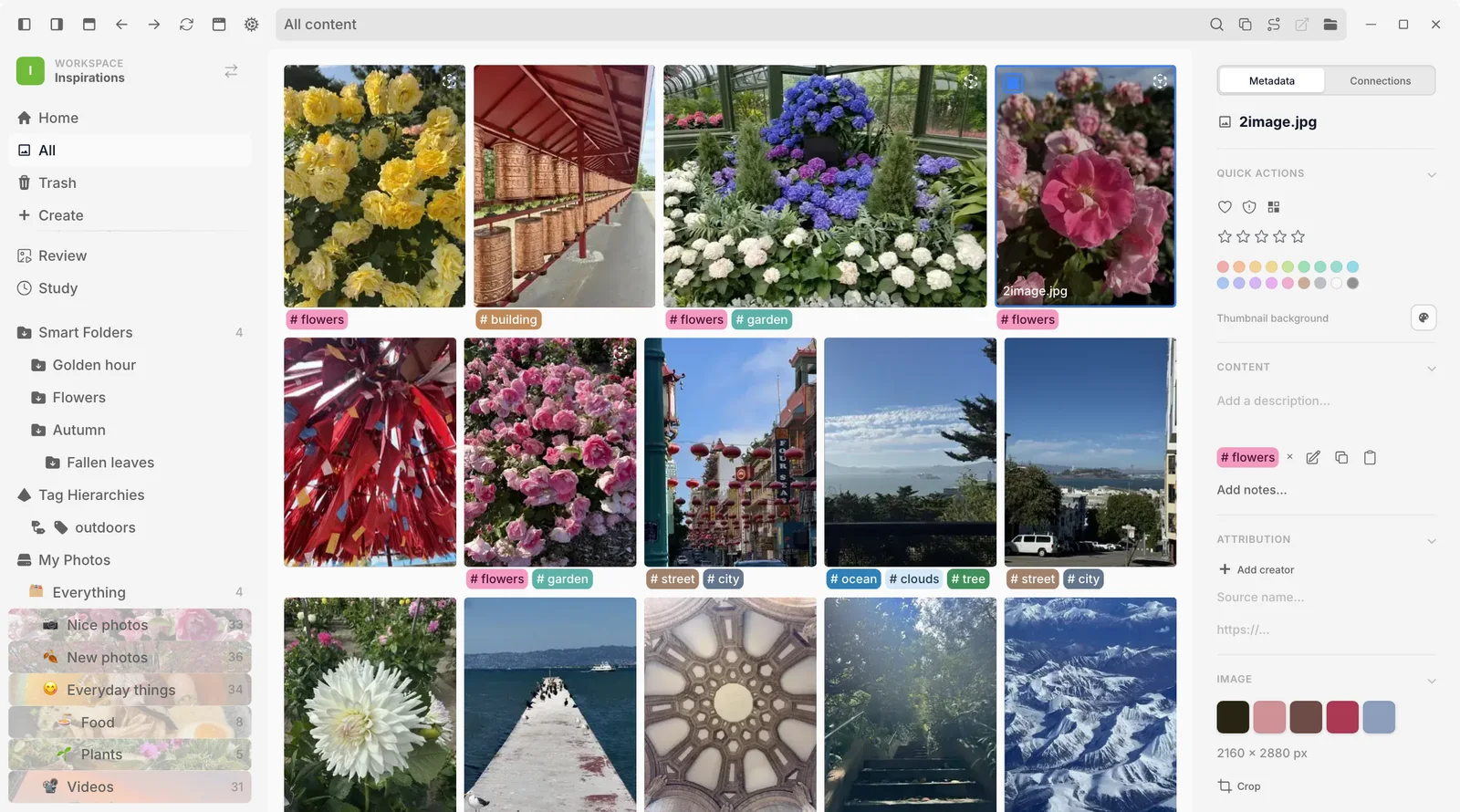
Muse shows boards of pictures, and Refern a grid of tagged pictures.
What is Refern built for?
Refern describes itself as a reference manager built for illustrators and concept artists, and every creative who collects, and it was made by an artist working under the name JAKS024. Everything about it points at production work: an infinite canvas built in for arranging moodboards, tagging with nested folders, and support for a wide range of file types beyond images, including design files, 3D and CAD, fonts, archives and code.
The part worth understanding properly is how it stores things. Refern indexes files rather than copying them. You can point a single workspace at several folders at once, even across different drives, and Refern builds its library from what is already there instead of duplicating it into a second location. If you already have years of reference material organised into a folder structure you trust, Refern can sit on top of it without moving a single file.
Where Refern wins
Three things here are real advantages, stated plainly.
Refern runs on Windows, macOS and Linux from one download, with browser extensions for Chrome, Firefox and Safari. Muse runs on Apple Silicon Macs only, on macOS 14 Sonoma or later, with a free iPhone and iPad app alongside it, so anyone on Windows, Linux or an Intel Mac cannot run it at all. If you move between a studio PC and a personal laptop, or work alongside people who are not on Apple hardware, Refern is simply the one that works everywhere you might need it to.
Refern also has an always-on-top reference pin: you can pin any window above your other apps, dial its opacity down, and click straight through it while you draw. Muse has no equivalent feature at all. If the job you are hiring this software for is keeping a picture visible while you paint in Procreate or Photoshop, that is Refern's whole reason for existing, and Muse does not do it.
And because Refern indexes rather than copies, it never creates a second copy of your files. Muse does the opposite: everything you save into Muse is copied into a Muse Library folder on your Mac, in plain visible folders you can open in Finder, but a copy all the same. If keeping exactly one copy of every file, spread across whatever drives you already use, matters to you, that is a genuine structural reason to pick Refern.
Refern's promise is that your files never leave the folders you already trust. Muse's promise is that everything you save, wherever it came from, ends up in one visible place you can open in Finder. They are different architectures with different tradeoffs, not one plain app and one that hides something.
What does Muse do instead?
Muse's case is not local and one-time, because Refern is exactly that too. It comes down to what a saved item is, and where it can come from.
Muse treats a saved web link as a first-class bookmark, not a picture. It pulls the page's title, its site icon and its own preview image, so a link looks like the thing it points at rather than a line of text. Refern's browser clipper works the other way round: it grabs images from a page, with the source attached, and there is no bookmark-shaped item behind it. If most of what you collect is web pages rather than image files already sitting on disk, Muse is built around that and Refern is not.
Importing is the other gap. Muse brings in an Eagle library, a Raindrop export, a generic CSV, browser bookmarks from Chrome and Safari, X bookmarks, Instagram saved posts, and Pinterest boards at full resolution, which matters because Pinterest's own export contains hashes rather than pictures and Muse resolves those back to the originals. Refern's importers cover Eagle, PureRef and Allusion, which is exactly right if you are switching between reference tools, but there is no path in from Pinterest, a browser's bookmark bar or X. Anyone migrating off a mainstream service has more manual work ahead of them in Refern than in Muse.
Do they really use different AI?
It would be easy to write that Muse's on-device search is the real difference here. It would also be wrong, and this is the part most comparisons like this one get lazy about.
Refern's own site describes its Auto Tagger as an engine that suggests tags, reads text in images, and describes them, running on-device and opt-in. It also offers semantic search, where you describe what you want in plain language and it surfaces matches even on images nobody tagged, plus colour and visual similarity search, picking a swatch or starting from one image to find others that look like it. Muse does all three of those too. Neither app gets to claim reading text inside images, searching by meaning or searching by colour as something the other cannot do, because both can.
The real technical split sits one level down, in what each library is built to hold. Refern is an index across your existing files and drives, reaching into design software formats, fonts and code. Muse is a library that pulls things in from elsewhere, web links included, and copies them into one place on a single Mac.
Price and trial, compared
Refern is a one-time $35 purchase, covering up to three devices across Windows, macOS and Linux, with free updates included and a 30-day trial that needs no card. Muse is $29, once, for up to three Macs, with a 14-day, no-card trial. When Muse's trial ends, the whole app locks until you buy a licence, though Export My Library still writes every collection out as ordinary folders at any point.
| Muse | Refern | |
|---|---|---|
| Platforms | Apple Silicon Mac, iPhone, iPad | Windows, macOS and Linux |
| Price | $29, once | $35, once |
| Always-on-top reference pin | No | Yes |
| Copies files into its own library | Yes | No, indexes in place |
| Saves a web link as a bookmark | Yes, with title and preview | No, images only |
| Imports Pinterest boards | Yes, full resolution | No |
| Reads text inside images | Yes, on-device | Yes, on-device |
| Searches by colour or meaning | Yes | Yes |
| MCP and API | Both included | Neither listed |
Which one should you use?
If most of what you have is already sitting in folders and drives, in formats a design pipeline produces rather than a browser, and you want to keep exactly one copy of each file while pinning a reference above your canvas as you draw, Refern is the more purpose-built tool for that job. Being available on Windows and Linux as well as on the Mac strengthens the case if you do not work on Apple hardware alone.
If what has piled up is web links, Pinterest boards, browser bookmarks and phone screenshots, and you are on a Mac, Muse does more of the migration work for you and treats a saved page as the bookmark it is, not a picture.
Both let you try before you pay, refern for 30 days and Muse for 14, so you can find out which is true for your own library first.
Frequently asked
Is Refern a good alternative to Muse?
How much does Refern cost?
Does Refern read text inside images the way Muse does?
Does Refern import Pinterest boards or browser bookmarks?
Does Refern duplicate my files the way Muse does?
Does Muse work with Claude and other AI apps?
One library, everything you save
Free for 14 days. Then $29 once, and it is yours.