About
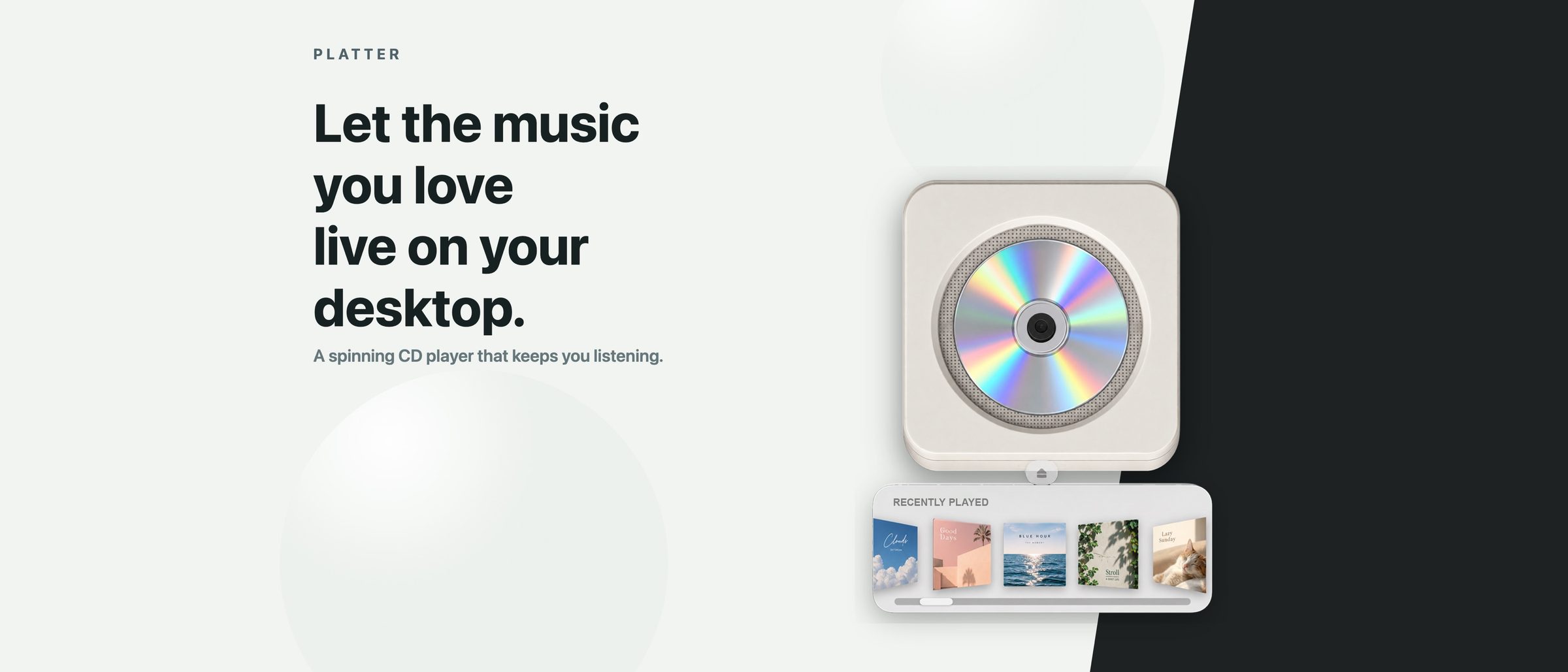
Platter turns your desktop into a wall-mounted CD player for Apple Music and Spotify. Pick a cover from the shelf or drag an album onto the deck, and the old disc slides out while the new one drops in and spins. Play, pause, skip, shuffle and repeat sit right on the player, in a light or dark look to match your desktop.
With Apple Music, Platter plays your music directly, so the Music app does not need to stay open. Recently played tracks, library songs and playlists land on the shelf, and a playlist plays as a single CD with a track list to jump to any song. With Spotify, Platter is a companion to the Spotify desktop app. When screen space is tight, a menu bar mini player keeps play, pause and skip close at hand. It is free to download with a 7-day trial of everything, then a one-time purchase unlocks it for good, with no subscription.
Alternatives
- Longplay
Pick Longplay if you want a whole wall of Apple Music album artwork to browse: it is $29.99 once on the Mac App Store and needs macOS 15 or later.
- Music
Stay with the Music app if you do not need a separate player: it is built into macOS, free to use, and already holds your Apple Music library and playlists.
At a Glance
- Requires
- macOS 14 Sonoma or later, on a Mac with an Apple M1 chip or later
- Price
- Free to download with a 7-day trial of all features; a $3.99 Lifetime Unlock in the app removes the limit, with no subscription
- Get It From
- Mac App Store
Curator's Note
“A music player you watch as much as you use: the disc swap and the spin make choosing an album feel like a small ritual.”
Theo, Mac Dept.