About
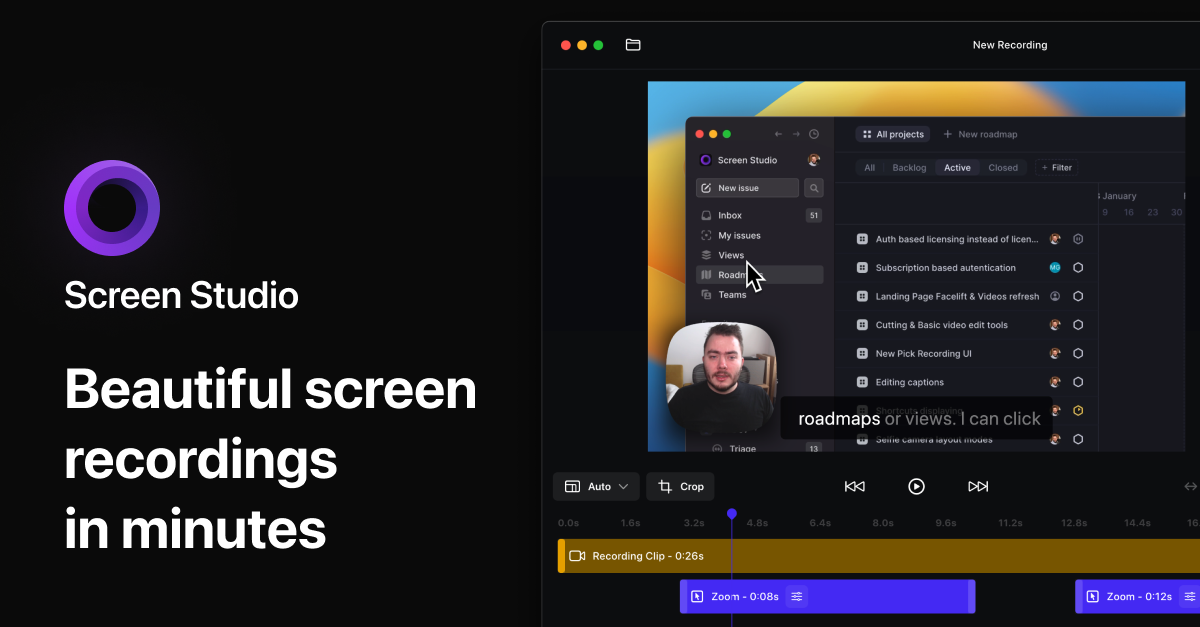
Screen Studio records your screen and turns the result into something that looks professionally edited, automatically. It adds smooth zooms that follow your cursor, animates pointer movement with motion blur, and frames everything with backgrounds, padding and device mockups. Recordings can include webcam, microphone, system audio and a connected iPhone, while on-device AI normalises voice levels, removes background noise and generates transcripts.
Created by independent developer Adam Pietrasiak, it has become the default way indie founders and product teams make demo videos. Exports go out as 4K 60 fps video, vertical cuts for social, GIFs, or instantly shareable links. Pricing is $9 per month billed yearly or $29 month to month, with every feature included at both tiers and no watermarks anywhere; without a plan you can use everything except exporting.
Alternatives
- CleanShot X
Pick CleanShot X if you want screenshots and recording in one app you buy once: Basic is $35 with a year of updates, and it needs macOS 13 or newer.
- Cap
Pick Cap if you want a free, open source recorder with an editing mode and instant share links, or if you also record on Windows or Linux.
- Screenshot
Stay with Screenshot, built into macOS, if you only need a plain recording: press Shift-Command-5, choose a microphone and record, with nothing to buy or install.
At a Glance
- Requires
- macOS 13.1 Ventura or later recommended
- Price
- $9 a month billed yearly, or $29 a month billed monthly; without a plan you can use everything except exporting video
- Get It From
- screen.studio
Curator's Note
“Every polished product demo you have admired lately was probably made with this.”
Theo, Mac Dept.