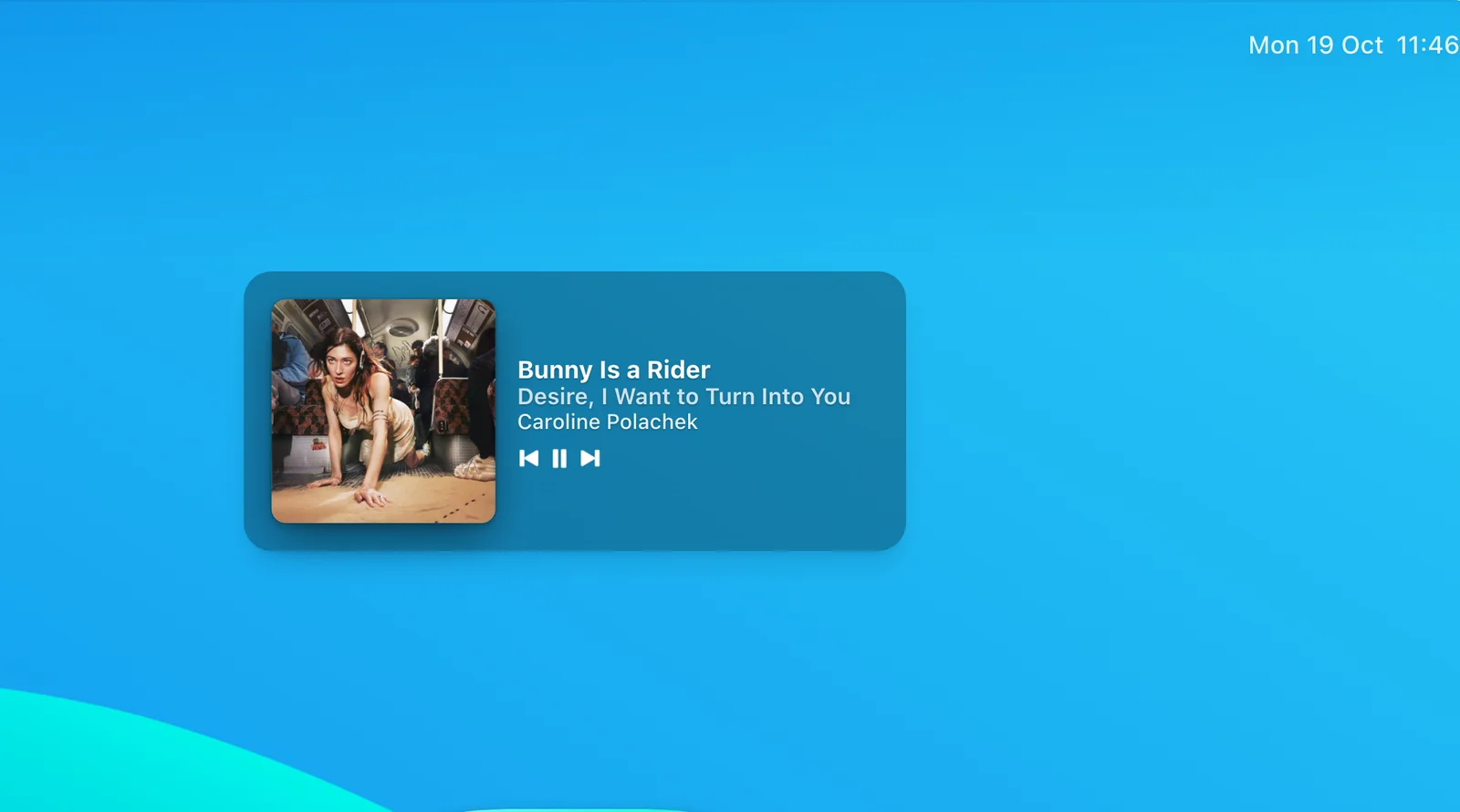
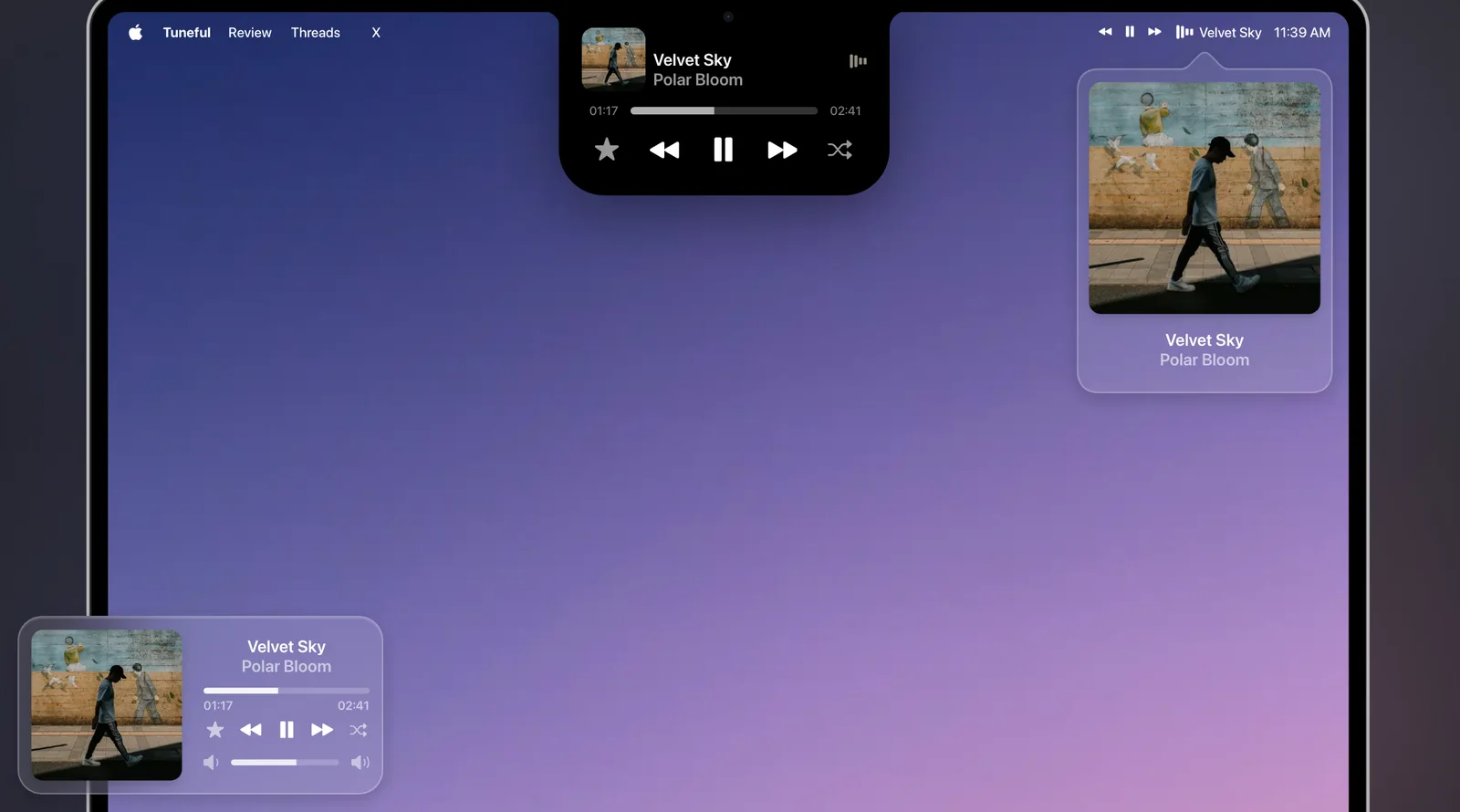
Spotify's support pages describe widgets for iPhone and Android, not Mac. On a Mac, Premium users get a built-in Mini Player, and several apps add a desktop widget, a menu bar player or a notch player. Here is what each one shows, what it costs, and who it suits. We stuck to what each vendor's own page says, and the list includes Echo, which we make, so we say where Echo does less than a rival.
Does Spotify Have Its Own Widget for Mac?
Spotify's support site has an article on the lock screen widget on iPhone and one on the Home screen widget on Android. We did not find a matching article for a Mac desktop widget, so we are not pointing you to one.
What Spotify does offer on desktop is a Mini Player. Spotify's Newsroom says Premium listeners using Spotify on desktop can open a miniature window. Spotify's Community blog places its button between the volume and full screen buttons, and says it can be a square, a rectangle or a slim bar that floats over other apps. It is a small version of the Spotify player rather than a widget fixed to your desktop or menu bar, and Spotify's 2024 announcement described it as a Premium feature. We found no current Spotify support page that says who gets it, so check the button in your own Spotify app.
What Does macOS Itself Offer?
Apple's Sonoma feature list names a Music widget that lets you 'play or pause a song or album', plus top charts and, for subscribers, recommendations. Apple's pages do not say it controls Spotify, and Apple's current widgets support page does not name a Music or Now Playing widget at all.
The other built-in option is Control Center. Apple's Control Center page lists a Now Playing control for controlling media playback from any app, opened from the menu bar. It is a Control Center module, not a desktop widget, and we did not test how it shows Spotify. We cover the difference in Echo vs the macOS Now Playing control.
Which Mac Apps Add a Spotify Widget or Player?
These are the ones we checked, in no particular order. Every price is what the vendor's own page showed on 26 October 2026.
SpotMenu: A Free Menu Bar Player
SpotMenu puts the artist and song title in your menu bar. Hover or click for a panel with album art and controls, or switch to a compact two-line view. It works with Spotify and Apple Music, is free and open source under the MIT licence, and needs macOS 13 Ventura or later.
Best for: a free, simple player that lives in the menu bar.
Not for: desktop artwork or a notch player, because it shows Spotify in the menu bar only.
Silicio: Free Desktop Widgets
Silicio is on the Mac App Store as 'Silicio: Widgets + Mini Player'. It is free in the US and UK stores, and the page lists no in-app purchases. It offers desktop widgets with album art and song information, which need macOS Sonoma, and a desktop mini player. It works with Spotify, Apple Music and iTunes, and adds Last.fm scrobbling.
Best for: real macOS widgets and a mini player at no cost.
Not for: the menu bar or the notch, because its page mentions neither.
Sleeve: Artwork on the Desktop
Sleeve sits on the desktop, or floats above your windows, with the artwork, track details and playback controls. Its help page says it is not a macOS widget. It supports Spotify, Apple Music and Doppler. It costs $5.99 one-time direct from Replay Software, or $7.99 one-time on the Mac App Store (£7.99 in the UK). Sleeve 3 needs macOS 26 Tahoe, and Replay says an older version, Sleeve 2.3.5, is available on request for macOS 11 up to macOS 26. Liking Spotify tracks needs a free Spotify Developer account.
Best for: a large piece of artwork with controls on the desktop, if you run macOS 26.
Not for: the menu bar or the notch, because its pages describe no menu bar mode.
Tuneful: Notch, Menu Bar and Mini Player
Tuneful offers a notch player, a menu bar player and a floating mini player, and each one is optional. It works with Spotify and Apple Music, and its notch player auto-hides on Macs without a notch. On the Mac App Store it costs $4.99 one-time in the US (£3.99 in the UK), and its FAQ says new releases are free updates. It needs macOS 15 or later.
Best for: choosing between a notch, a menu bar player and a mini player in one app.
Not for: anyone on macOS 14 or earlier.
Boring Notch: A Free Notch Music Hub
Boring Notch turns the MacBook notch into a music control center with a visualizer, and adds a calendar, reminders, a file shelf with AirDrop, a camera mirror, a charging indicator and a system HUD replacement. It is free and open source under GPL-3.0, and needs macOS 14 Sonoma or later. Its README does not list players, but its release notes name Spotify and Apple Music controllers. The README also says the team has no Apple Developer account yet, so macOS warns about an unidentified developer when you open it by hand.
Best for: notch users who want music plus a few other tools, for free.
Not for: a menu bar or desktop display, because its pages describe the notch only.
One more to watch is Songleton, a tiny new open-source project (MIT) whose README describes a menu bar player and a desktop mini player for Spotify and Apple Music on macOS 14 or newer.
Echo: Three Displays and a History
Echo shows what Spotify is playing in three places, and you switch on any mix in Settings > Now Playing. All three are off until you do. In the menu bar it shows the artwork and the song next to the clock, and clicking the song opens a glass player with a scrubber and play, pause and skip. The notch grows into a black island with the artwork and drops down with each new song, and Macs without a notch get a small pill under the menu bar. The desktop display turns your wallpaper into a slow blur of the artwork with poster-style type, either always while playing or only when you step away.
These displays are free in Echo, which is $4.99 once, three Macs, and needs macOS 13 or later. The part the other pages we read do not list is a private, searchable history of everything you play, across Spotify, Apple Music, podcasts and your browser, with one keystroke to resume any of it at the exact spot. Echo's notch is a now-playing island only, with no file tray or calendar, so Boring Notch does more there. Echo is also not a widget gallery, which Silicio is.
Best for: seeing the song in the menu bar, the notch and on the desktop, with a history that resumes where you stopped.
Not for: anyone who only wants a free widget, or a notch full of other tools.
 Every song, podcast and video, right where you left off
Everything you play, back at the exact spot.
Get Echo
Every song, podcast and video, right where you left off
Everything you play, back at the exact spot.
Get Echo
What Do They Look Like?
Echo's Now Playing, playing itself: a Spotify song in the menu bar, around the notch and across the desktop. Below it, Sleeve on the desktop and Tuneful's notch, menu bar and mini player.