
Side by Side
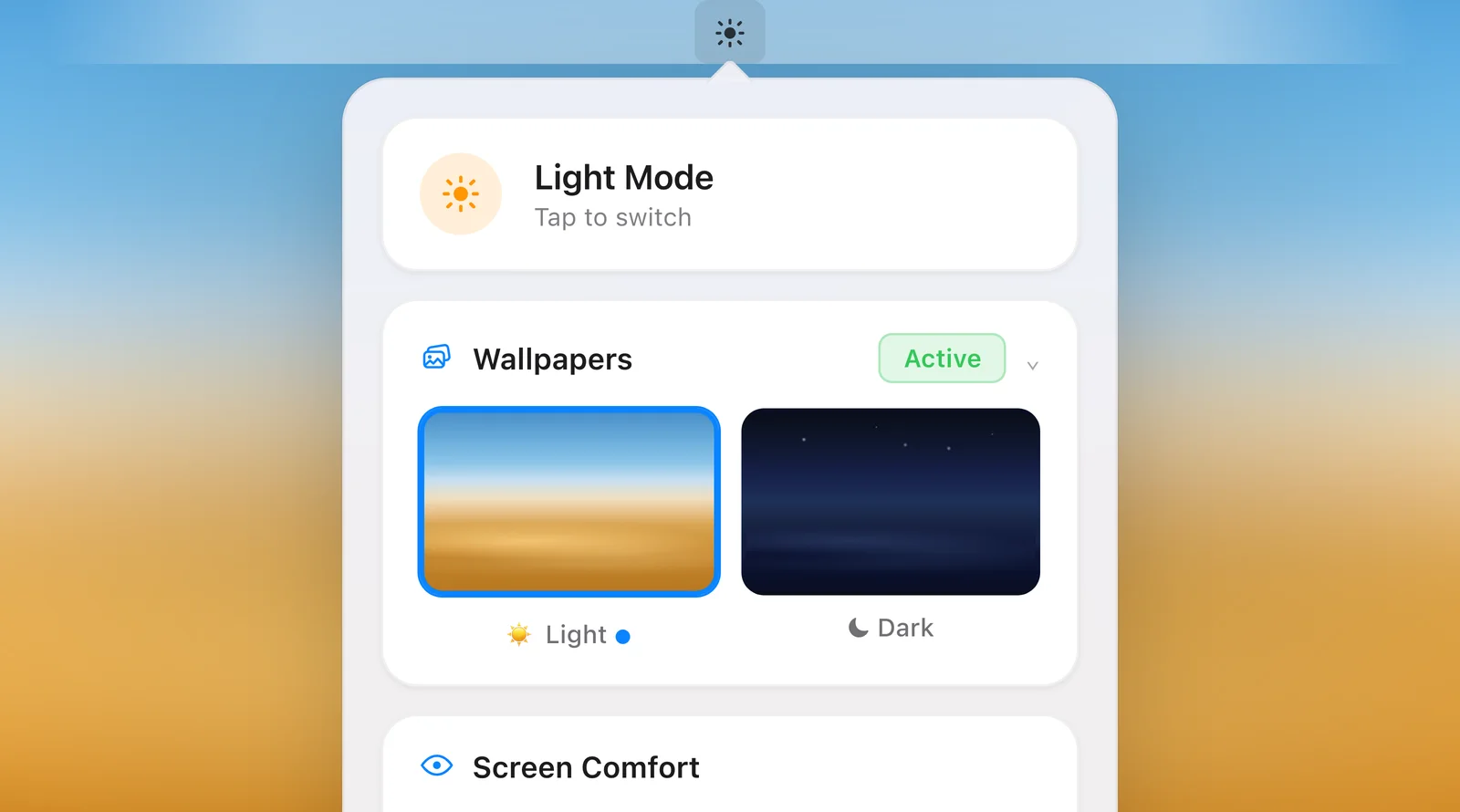
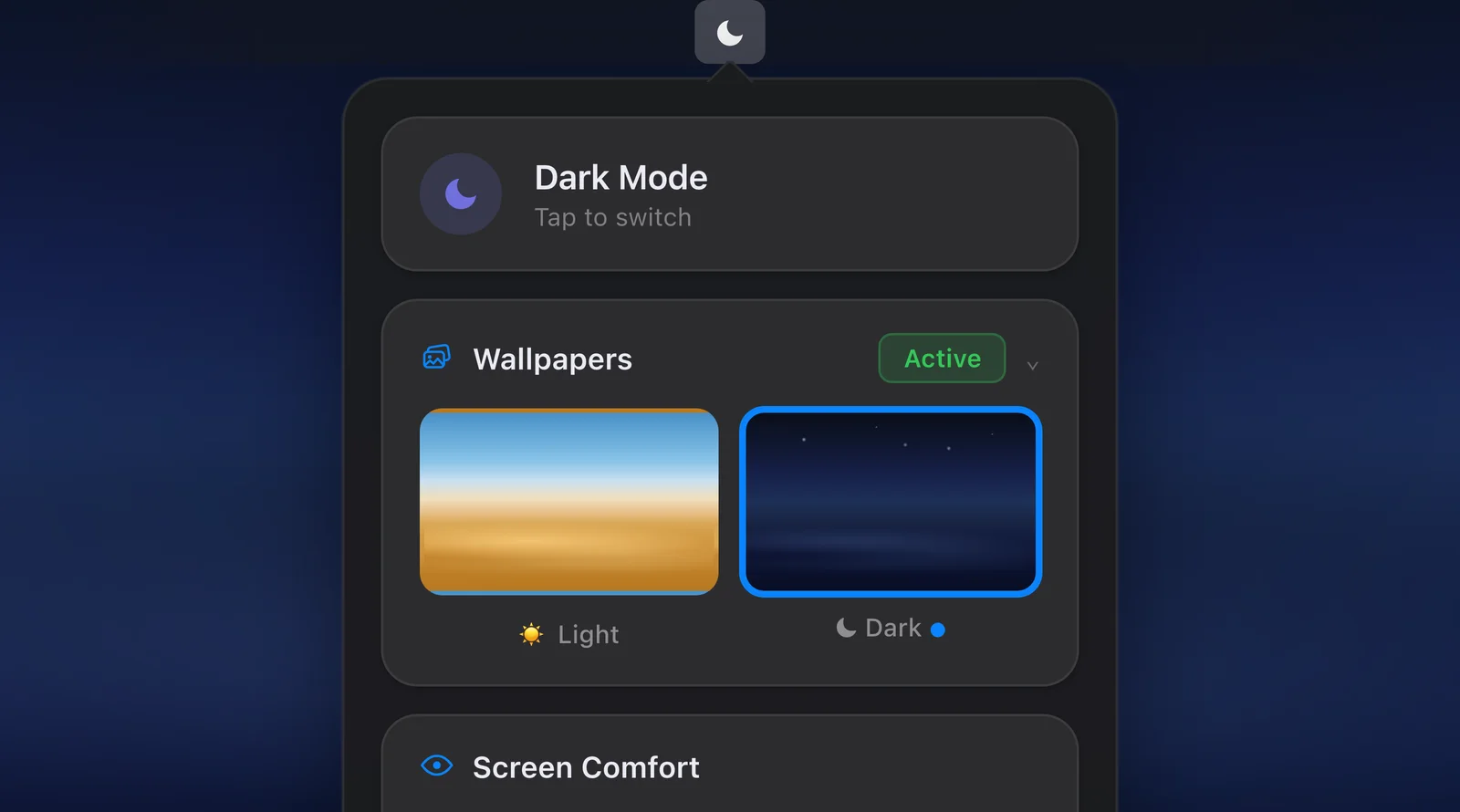
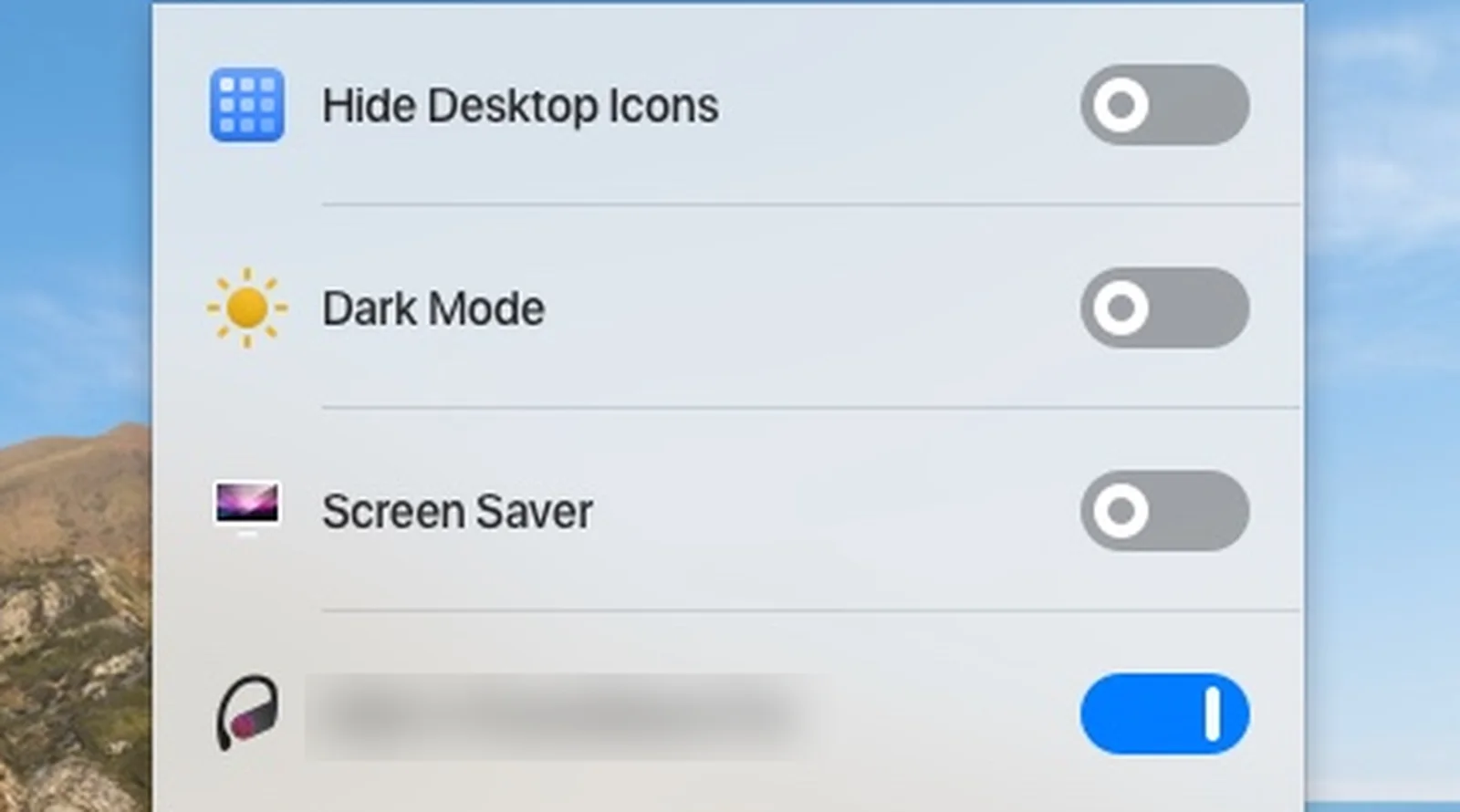
One Switch lists on and off toggles in one panel; Solace shows a mode switch and two wallpaper tiles.
What does One Switch do?
One Switch is a menu bar utility by Fireball Studio that puts commonly used macOS system toggles in one convenient panel. Instead of navigating through System Settings to flip a switch, you click the One Switch icon and toggle it directly. The current version is 1.35.2, and it requires macOS Monterey (12) or higher.
One Switch's key toggles include:
- Dark Mode - switch between light and dark mode with one click
- Keep Awake - prevent your Mac from sleeping during downloads or presentations
- True Tone - toggle display colour adaptation on or off
- Night Shift - enable or disable Apple's built-in blue light filter
- AirPods Connect - connect or disconnect AirPods instantly
- Do Not Disturb - silence notifications with one click
- Hide Desktop - hide all desktop icons and files
- Screen Resolution - switch display resolution from the menu bar
- Screen Clean - black backdrop with keyboard lock for screen cleaning
- Hidden Files - show or hide invisible system files in Finder
One Switch costs $4.99 for a single device licence with lifetime access and free updates. It is also available through the Setapp subscription service. The app is customisable - you choose which toggles appear in the panel, and you can assign keyboard shortcuts to any toggle.
The important distinction: One Switch is a toggle dashboard. Most actions are a click or a shortcut away.
Neither app would exist if the built-in scheduling were flexible:
"Auto switches the appearance from light to dark based on the Night Shift schedule you set."
What does Solace do?
Solace is a macOS appearance manager that automates four aspects of display comfort: dark mode scheduling, colour temperature, wallpaper syncing, and weather-aware switching. With 82% of smartphone users now using dark mode globally (Gitnux, 2024) and 64.6% wanting automatic switching based on time of day (forms.app), the demand for appearance automation is clear.
Solace's feature set includes:
- Dark mode scheduling - switch based on solar position, custom times, or weather conditions
- Evening warmth - colour temperature reduction using native macOS APIs
- Wallpaper syncing - different wallpapers for light and dark mode, with time-based rotation
- Weather-aware switching - adapts appearance based on real-time local conditions
- Global keyboard shortcut - toggle everything instantly
- Multi-display support - consistent behaviour across all connected monitors
- No analytics or tracking - we never receive your location, no analytics or telemetry
- One-time purchase - $4.99, no subscription
The key difference is automation. Solace runs in the background and manages your Mac's appearance without intervention. You configure it once, and it handles the rest - dark mode at sunset, warmth in the evening, wallpapers that match the time of day.
How do One Switch and Solace compare?
One Switch gives you one-click control over a wide range of system settings. Solace gives you automated control over a focused set of appearance features. The table below shows where each app excels.
| Feature | One Switch | Solace |
|---|---|---|
| Dark mode control | Toggle Dark Mode at any time | Solar, custom, or weather-based scheduling |
| Colour temperature | Toggles Night Shift on/off | Evening warmth via native macOS APIs |
| Wallpaper syncing | Not supported | Separate wallpapers for light/dark mode |
| Weather-aware switching | Not supported | Adapts to real-time local conditions |
| Scheduling | Not listed on its page | Solar, custom times, or weather triggers |
| System toggles | Keep Awake, AirPods, Do Not Disturb, Hide Desktop, Screen Resolution, and more | Appearance-focused only |
| Keyboard shortcuts | Customisable per toggle | Global shortcut for instant toggle |
| Multi-display | System-level (inherits macOS behaviour) | Full support across all monitors |
| Data collection | Not disclosed | No analytics or tracking |
| Price | $4.99 (1 device), also on Setapp | $4.99 one-time |
| App focus | General system utility | Appearance automation |
| macOS requirement | macOS 12+ | macOS 14+ |
These are complementary tools, not direct competitors. One Switch is a Swiss Army knife of system toggles. Solace is a specialist tool for appearance management.
Does One Switch automate dark mode?
One Switch's own page describes Dark Mode as a switch you can toggle at any time. It does not mention scheduling it by sunset, weather or a custom timetable, although its screenshots show a Dark Mode row that reads Will turn off at sunrise. Solace is built around those triggers.
This matters because the average person spends 7 hours and 2 minutes per day looking at screens (DemandSage, 2026). Manually toggling dark mode twice a day - once in the evening and once in the morning - is a small friction that adds up. Research from the Journal of Optometry found that 66% of computer users experience computer vision syndrome symptoms including eye strain, headaches, and blurred vision (Journal of Optometry, 2023). Automating your display environment removes one more source of strain.
Solace eliminates this manual step entirely. You choose your trigger - solar position, custom times, or weather - and dark mode activates on its own. If you want to schedule dark mode on your Mac, Solace handles it natively.
When should you choose One Switch?
One Switch is the right choice if you want fast access to system settings you toggle frequently. Specifically, it makes sense if:
- You regularly toggle Keep Awake, Do Not Disturb, or AirPods connection and want one-click access
- You need to hide desktop icons quickly for screenshots, presentations, or screen sharing
- You switch screen resolutions often and want a menu bar shortcut instead of going through Display settings
- You prefer manual control over your system and do not want anything running automatically
- You need system-wide toggles beyond appearance - Bluetooth, hidden files, screen cleaning mode
One Switch does its job well. It takes settings that are buried 3–4 clicks deep in System Settings and surfaces them in a clean menu bar panel. If you are the kind of user who wants a control centre for your Mac, One Switch delivers.
When should you choose Solace?
Solace is the right choice if you want your Mac's appearance to manage itself. Choose Solace if:
- You want dark mode to activate automatically at sunset, at custom times, or when the weather changes - without clicking anything
- You want a global keyboard shortcut that toggles dark mode, colour temperature, and wallpapers in one action
- You use different wallpapers for light and dark mode and want them to switch automatically
- Privacy matters to you - Solace has no analytics or tracking, and we never receive your location
- You spend long hours at your screen and want automated eye comfort rather than a panel of switches
Harvard Medical School research found that blue light suppresses melatonin for twice as long as green light and shifts circadian rhythms by 3 hours (Harvard Health). Solace's evening warmth feature reduces blue light automatically as the day progresses, working alongside dark mode scheduling to create a display environment that adapts to your body's needs.
The verdict
One Switch and Solace are different tools that happen to share the same home in the menu bar. One Switch is a general-purpose toggle dashboard for macOS system settings - dark mode, Keep Awake, AirPods, screen resolution, and more. Solace is a focused appearance automation tool that schedules dark mode, adjusts colour temperature, syncs wallpapers, and responds to weather.
If you want one-click control over a broad range of system settings, One Switch is excellent at what it does. If you want your Mac's appearance to adapt automatically to the time of day, the weather, and your display comfort preferences, Solace is the better fit.
Bottom line: If you need a system toggle dashboard, choose One Switch. If you want automated appearance management with scheduling, weather-awareness, and wallpaper syncing, choose Solace. And since both apps cost $4.99 and serve different purposes, they work well together - One Switch for system controls, Solace for appearance automation.
For a full ranking of dark mode apps for Mac, see Best Dark Mode Apps for Mac in 2026.
Want to set up dark mode scheduling on your Mac? See How to Create a Dark Mode Schedule That Matches Your Routine.
Need a fast way to toggle dark mode from your keyboard? Read Dark Mode Keyboard Shortcut on Mac: Every Method Compared.
Frequently asked questions
Does One Switch schedule dark mode automatically?
One Switch's own page describes Dark Mode as a switch you can toggle at any time. It does not mention scheduling by time of day, solar position or weather, although its screenshots show a Dark Mode row that reads Will turn off at sunrise. Solace supports solar, custom time, and weather-based triggers.
Can I use One Switch and Solace together?
Yes. Because the two apps serve different purposes, they can run side by side without conflicts. One Switch handles system toggles like Keep Awake, AirPods connection, and Hide Desktop. Solace handles appearance automation: dark mode scheduling, colour temperature, and wallpaper syncing. There is no overlap that would cause issues.
Does One Switch adjust colour temperature?
One Switch includes a toggle for Night Shift and True Tone, which are built-in macOS features. Solace provides evening warmth via native macOS APIs with automatic scheduling.
Is One Switch a one-time purchase?
Yes. One Switch costs $4.99 for a single device licence with lifetime access and free updates. A two-device licence is $7.99 and a five-device licence is $16.99. It is also available through the Setapp subscription service. Solace is also a one-time purchase at $4.99.
Which app is better for reducing eye strain?
Solace is better for eye strain reduction because it automates the full workflow: dark mode activates based on sunset or weather, evening warmth reduces blue light automatically, and wallpapers adjust to match. One Switch puts Night Shift and Dark Mode switches in one panel. With 66% of computer users experiencing computer vision syndrome, automation removes the burden of manual management.
Solace - $4.99, yours forever
Custom scheduling, weather-aware switching, and colour temperature control, all in one menu bar app.